Simplified Overview (ELI5)
Written by Abrar Akhunji
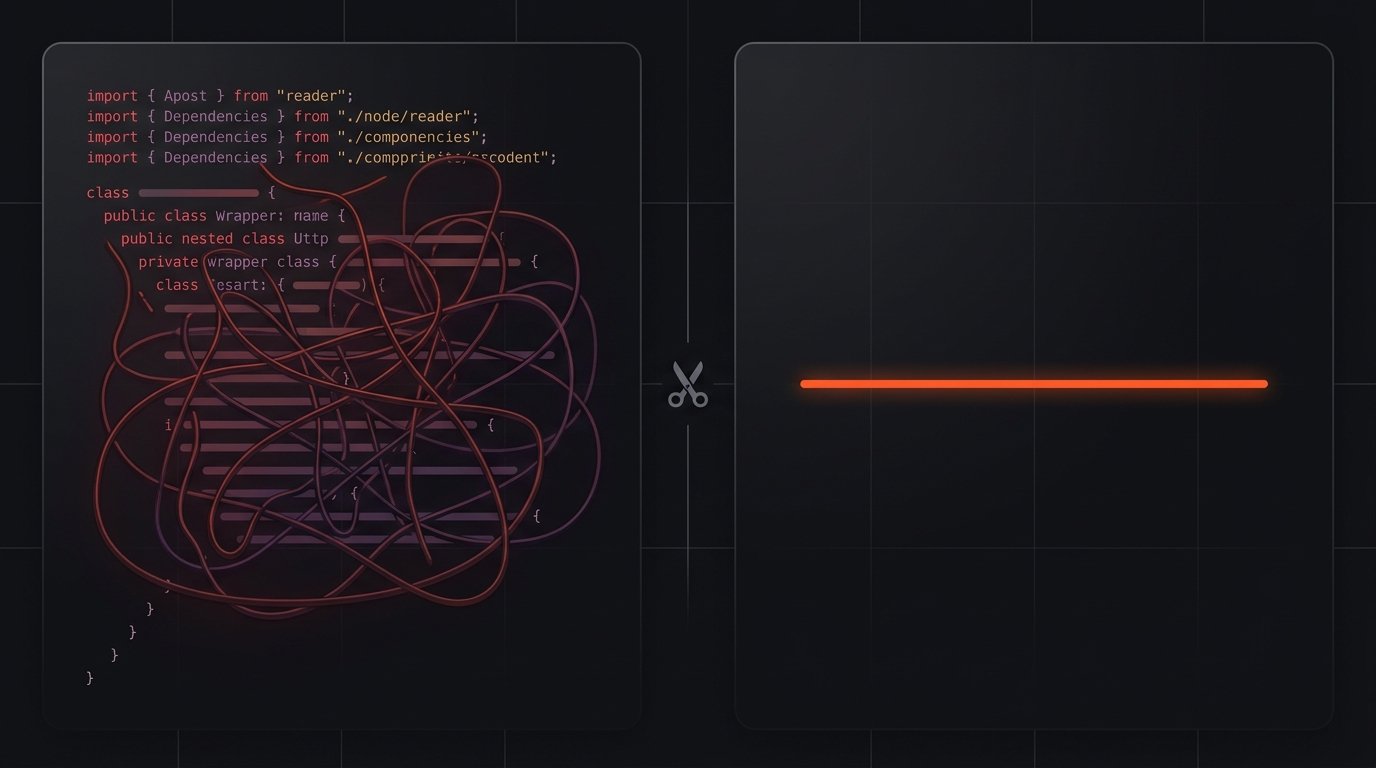
If you use an AI coding agent like Claude Code or Copilot, you've probably noticed a frustrating pattern. You ask for a simple feature, and the AI goes overboard. It installs three new libraries, writes a bunch of wrapper classes, and generates a massive stylesheet for something that only needed three lines of code.
This over-building slows you down, costs extra API tokens, and leaves you with bloated code that you now have to maintain.
That's where Ponytail comes in.
What is Ponytail?
Ponytail is a free, open-source tool that acts like a mentor for your AI coding agent. It installs directly into tools like Claude Code, OpenCode, and GitHub Copilot CLI, and fundamentally changes how they think.
Instead of defaulting to the most complex, fully-featured solution, Ponytail forces the agent to act like a lazy (but brilliant) senior developer. It makes the AI look for the absolute simplest, smallest solution that actually works.
How it actually works: the 7-rung ladder
Before the AI writes a single line of code, Ponytail forces it to climb a strict decision ladder. It starts at the top (doing nothing) and only moves down if it has to.
Senior Developer Systems Breakdown
Written by Abrar Akhunji
The biggest hidden cost of agentic coding isn't the API pricing—it's the tech debt. When you ask an AI coding agent for a solution, its default behavior is to over-provision. It will happily pull in a massive third-party dependency, write a bespoke abstraction layer, and generate boilerplate for a task that could have been handled by a native platform API.
This bloat costs time, tokens, and creates a massive review burden for the developer.
Ponytail fixes this.
What is Ponytail?
Ponytail (available on GitHub) is an MIT-licensed, open-source tool that injects discipline into AI coding agents. Built by DietrichGebert, it currently boasts over 85K+ GitHub stars and supports 20+ agent hosts, including Claude Code, Codex, GitHub Copilot CLI, OpenCode, and Gemini CLI.
It effectively lobotomizes the agent's urge to over-engineer, replacing it with the archetype of the terse veteran engineer—the one who looks at a 50-line PR and rewrites it in one line.
How it actually works: the 7-rung ladder
The core mechanism of Ponytail is a 7-rung decision ladder. Crucially, Ponytail forces the agent to run this ladder after it has read and understood the problem, but before it writes any code. It is lazy about the solution, never about the context.
The Ponytail Decision Ladder
- Does this need to exist at all?: If the code is speculative or 'just in case', skip it completely (YAGNI).
- Is it already in this codebase?: Look for existing utilities or components. Reuse them, don't rewrite them.
- Does the standard library do it?: Use built-in language features instead of writing custom logic.
- Is there a native platform feature?: Use native browser APIs (like
<input type="date">) instead of importing a UI library. - Is there an already-installed dependency?: Use what is already in package.json before adding a new package.
- Can it be one line?: If you must write new code, condense it into a single line if possible.
- Write the minimum code: Only if none of the above apply: write the absolute minimum code that actually works.
Simplified Overview (ELI5)
What it will never cut corners on
You might be worrying: "If the AI is trying to be lazy, won't it write insecure or broken code?"
No. Ponytail has a strict "protected list." No matter what, it will never cut corners on:
- Understanding the problem (It always reads the context first).
- Input validation (Checking data before using it).
- Error handling (Preventing crashes and data loss).
- Security.
- Accessibility.
- Real-world calibration (It won't assume everything works perfectly).
- Anything you explicitly asked for (If you ask for a complex feature, it will build it).
Also, any time it writes code, it must leave exactly one automated check (like a simple test) to prove the code works. Lazy code is never unfinished code.
If the AI takes a deliberate shortcut (like using a simple search instead of a complex one), it must leave a ponytail: comment in the code. This comment explains the shortcut and how to fix it later. This means you can easily find and fix these shortcuts in the future.
Senior Developer Systems Breakdown
What it will never cut corners on
The obvious concern with a YAGNI-enforcer is that it might produce brittle, "happy path only" code. Ponytail handles this by explicitly protecting a fixed list of non-negotiables, regardless of the intensity level:
- Problem Comprehension: No skipping context reading before picking a rung.
- Input Validation: Mandatory at trust boundaries.
- Error Handling: Must prevent data loss.
- Security: Cannot be compromised for brevity.
- Accessibility: Semantic HTML and ARIA where applicable.
- Hardware/Environment Calibration: The agent cannot assume perfect conditions (e.g., drifting sensors, network latency).
- Explicit Requests: Anything the developer explicitly prompts for is exempt from the ladder.
Furthermore, any non-trivial logic must leave behind exactly one runnable check—a small assert-based self-check or a single test file (without requiring fixtures or test frameworks). Lazy code is never unfinished code.
The ponytail: Traceability Mechanism
When the agent takes a deliberate, known shortcut (e.g., an O(n²) scan instead of an optimized map, or a global lock instead of granular concurrency), it must leave a ponytail: comment in the code. This comment names the shortcut and defines the upgrade path when the codebase outgrows it. Nothing gets simplified silently.
import DatePicker from 'react-datepicker';
import 'react-datepicker/dist/react-datepicker.css';
import { useState } from 'react';export function FancyDatePicker() {
  const [date, setDate] = useState(new Date());
  return (
    <div className="date-wrapper">
      <DatePicker
        selected={date}
        onChange={(d) => setDate(d)}
      />
    </div>
  );
}
export function SimpleDatePicker() {
  // Uses native browser platform feature
  return <input type="date" />;
}
Simplified Overview (ELI5)
Does it actually work? The numbers
Yes. In a real-world test using Claude Code to build 12 features on a standard web app, running Ponytail resulted in 54% less code generated.
Not only did it write less code, but it was also faster and cheaper. It used 22% fewer AI tokens, reduced API costs by 20%, and finished tasks 27% faster.
Most importantly? It maintained a 100% safety score, meaning it never introduced a security vulnerability while trying to be clever.
Senior Developer Systems Breakdown
Does it actually work? The numbers
The project maintains an agentic benchmark running a headless Claude Code session (Haiku 4.5, n=4 runs) against tiangolo/full-stack-fastapi-template across 12 feature tickets. The diffs were analyzed against a no-skill baseline, a terse-prose control (caveman), and a naive "just write one-liners" prompt.
Note: An earlier benchmark cited 80-94% LOC reduction, but the maintainer publicly corrected this after realizing the baseline agent was padding outputs with conversational prose. The numbers below reflect actual code diff reductions.
Ponytail Performance Metrics
Every metric vs the no-skill baseline (Claude Code, Haiku 4.5). Lower is leaner/faster. Safety for all runs except Naive YAGNI was 100%.
| metric | No Skill (Baseline) | Terse Prose Control | Ponytail | Naive YAGNI |
|---|---|---|---|---|
| Lines of Code | 100 | 80 | 46 | 67 |
| Tokens Used | 100 | 107 | 78 | 86 |
| API Cost | 100 | 102 | 80 | 78 |
| Wall-Clock Time | 100 | 102 | 73 | 70 |
Simplified Overview (ELI5)
How to install it
If you use Claude Code, Copilot, or OpenCode, installing Ponytail is as easy as running a single command.
Senior Developer Systems Breakdown
How to install it
Ponytail is distributed as an npm package plugin (@dietrichgebert/ponytail) for capable hosts, and as raw instruction files for instruction-only hosts like Cursor or Windsurf.
Here are the installation commands for the most popular hosts:
# Claude Code
/plugin marketplace add DietrichGebert/ponytail
/plugin install ponytail@ponytail

# Codex
codex plugin marketplace add DietrichGebert/ponytail
codex plugin add ponytail@ponytail

# GitHub Copilot CLI
copilot plugin marketplace add DietrichGebert/ponytail
copilot plugin install ponytail@ponytail

# OpenCode — add to opencode.json
{ "plugin": ["@dietrichgebert/ponytail"] }
Simplified Overview (ELI5)
How to run it like a senior developer
Once it's installed, you don't really have to do anything. Just leave it on the default setting (full) for all your daily work.
If you are about to merge a pull request, you can run /ponytail-review to have it double-check the code for over-engineering. If you want to check your entire project for bloated code, run /ponytail-audit.
Remember those ponytail: comments we mentioned earlier? At the end of the week, you can run /ponytail-debt. It will scan your code, find every single shortcut the AI took, and give you a list so you can turn them into actual tasks instead of forgetting about them.
Senior Developer Systems Breakdown
How to run it like a senior developer
To get the most out of Ponytail, integrate these commands into your daily workflow:
| Command | What it does |
|---|---|
| `/ponytail [lite | full |
/ponytail-review |
Reviews the current diff for over-engineering and hands back a delete-list. |
/ponytail-audit |
Audits the whole repository for over-engineering, not just the current diff. |
/ponytail-debt |
Collects every deferred ponytail: shortcut comment into a single ledger. |
/ponytail-gain |
Shows the measured impact scoreboard (less code, less cost, more speed). |
/ponytail-help |
Quick command reference. |
Practical Workflow Habits:
- Leave it on
full: Don't touch the dial for day-to-day work. - Use
ultradeliberately: Only reach forultrafor one-off cleanup or refactor passes on a bloated module. - Pre-merge checks: Treat
/ponytail-reviewas a pre-merge gate, just like a linter. - Audit periodically: Run
/ponytail-auditon the whole repo at the start of a sprint. - Track the debt: Run
/ponytail-debtat the end of a sprint to turn everyponytail:comment into a tracked ticket. This is how "we'll fix it later" stays honest. - Subagent Scoping: If you run multi-agent workflows, use the
PONYTAIL_SUBAGENT_MATCHERregex environment variable to exclude specific subagents (like read-only researchers).
(Note: Instruction-file-only hosts like Cursor or Windsurf get the always-on ruleset, but not these slash commands).
Who this is for
Ponytail is perfect for teams tired of reviewing bloated agent output, and for solo developers managing small-to-mid codebases.
If you are deliberately building a massive, extensible framework where over-provisioning is the point, the default ladder might fight you. However, the "explicit request" exemption means you can just prompt the agent to build the framework, and Ponytail will step out of the way.
(Ecosystem tip: Pair Ponytail with caveman. Caveman trims the agent's prose verbosity, while Ponytail trims the actual code).
Simplified Overview (ELI5)
Frequently Asked Questions
- Can I use it with caveman? Yes! Caveman makes the AI talk less, and Ponytail makes the AI code less. They work perfectly together.
- Does it need a config file? No, it works out of the box, but you can configure defaults if you want to.
- What if I really want a complex feature? Just ask for it! Ponytail won't stop the AI from building complex things if you explicitly request them.
- Does it work on big projects? Yes, because it forces the AI to reuse existing code instead of inventing new wheels.
Senior Developer Systems Breakdown
FAQ
- Can I use it with caveman? Yes. They are designed to be run together. Caveman trims what the agent says, while Ponytail trims what the agent builds.
- Does it need a config file? No, but you can set a default intensity per-machine via the
PONYTAIL_DEFAULT_MODEenvironment variable or in~/.config/ponytail/config.json. - What if I really need the fully-featured version? Just explicitly ask for it in your prompt. Ponytail's rules exempt anything you explicitly request.
- Does it scale? Yes, it works beautifully on large codebases because the ladder forces the agent to reuse existing implementations rather than spinning up new ones.
- Why the name "Ponytail"? It refers to the archetype of the veteran, unbothered senior engineer—the one with the ponytail who's been at the company forever and deletes fifty lines of new code to replace it with one.
Simplified Overview (ELI5)
The Verdict
AI coding agents are incredible tools, but they need discipline to prevent them from turning your project into a bloated mess. Whether you are using Claude Code or exploring new agents like OpenCode Desktop, Ponytail provides that discipline.
Check out the Ponytail GitHub repo to install it, and see how much code you can delete today.
Senior Developer Systems Breakdown
The Verdict
Agentic coding tools are massive productivity multipliers, but without guardrails, they accelerate tech debt accumulation. Whether driving Claude or orchestrating local models via OpenCode Desktop, Ponytail is a required dependency for any serious AI-assisted developer.
Visit the Ponytail GitHub repo to read the full benchmarks and install the plugin.